Engage by Summit Technology
Application Overview
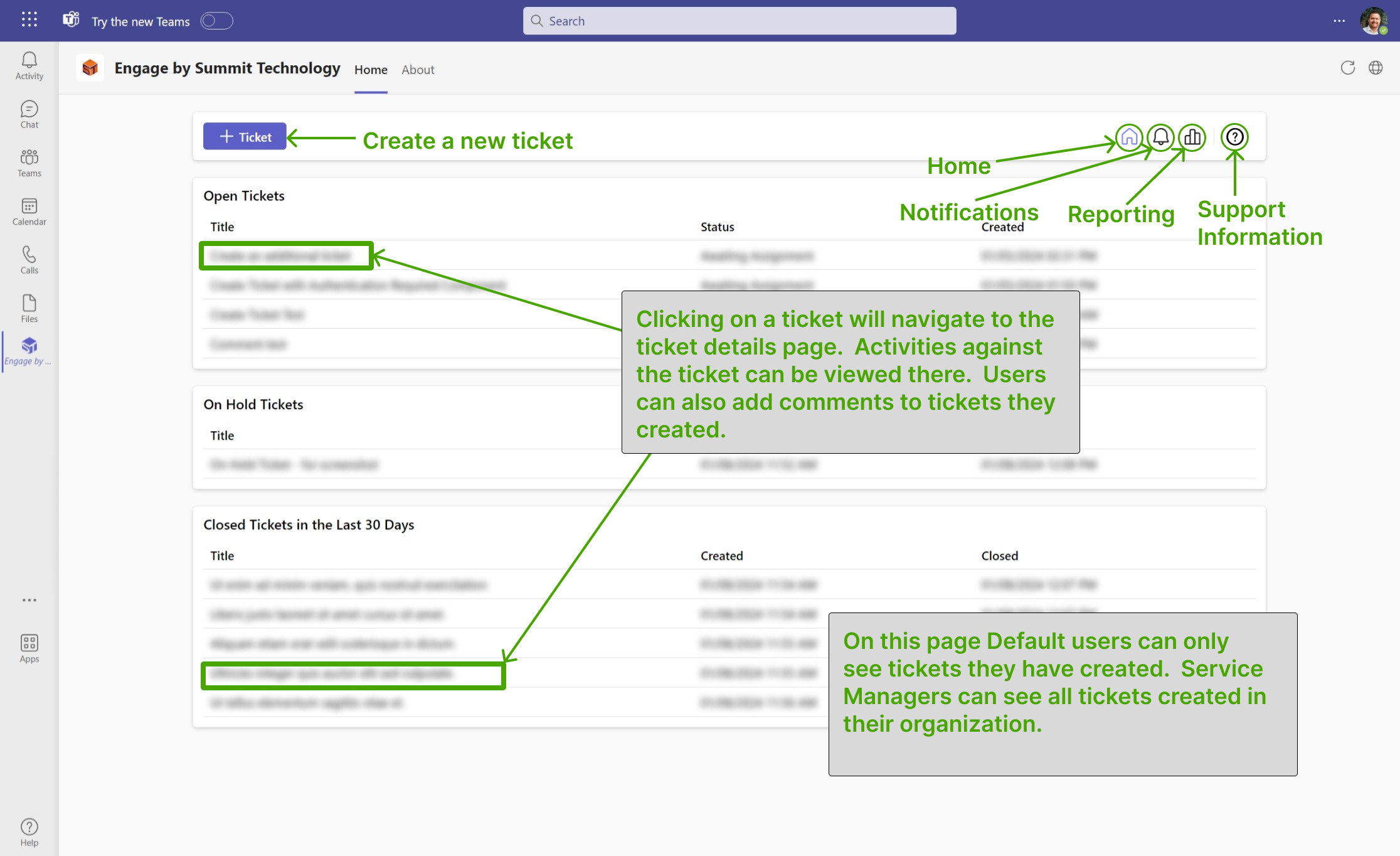
Web version of tool is accessible at https://engage.greatservice.com
Default Users have access to the following actions:
- View Tickets
- View Tickets details
- Create Ticket
- Create Ticket Comment
- View Notifications
- View Support Contact Information
Service Managers have Default User access and the following:
Actions
Create Ticket
- Navigate to Home
- Click the "+ Ticket" button at the top left of the home view
- Enter in ticket fields (Subject and Description)
- Press "Create Ticket"
Create Ticket Comment
- Navigate to Home
- See tickets displayed by category Open/Closed/On Hold
- Click on a ticket title (Must be a ticket created by your user)
- Press "+ Comment" button
- Add comment to open text field.
- Press "Create Comment" button
View Tickets
- Navigate to Home
- See tickets displayed by category Open/Closed/On Hold
View Ticket Details
- Navigate to Home
- See tickets displayed by category Open/Closed/On Hold
- Click on a ticket title (Default Users can only see their tickets)
- See ticket details
View Reporting
- Navigate to Reporting.
- See reporting charts.
- Change start and end date filters.
- Press search button.
View Notifications
- Navigate to Notifications (Bell Icon)
- See notifications
View Support Contact Information
- Navigate to Home
- Click on Support icon (Question mark symbol)
- View support contact information
Need Help?
- help@greatservice.com
- 801-961-1040